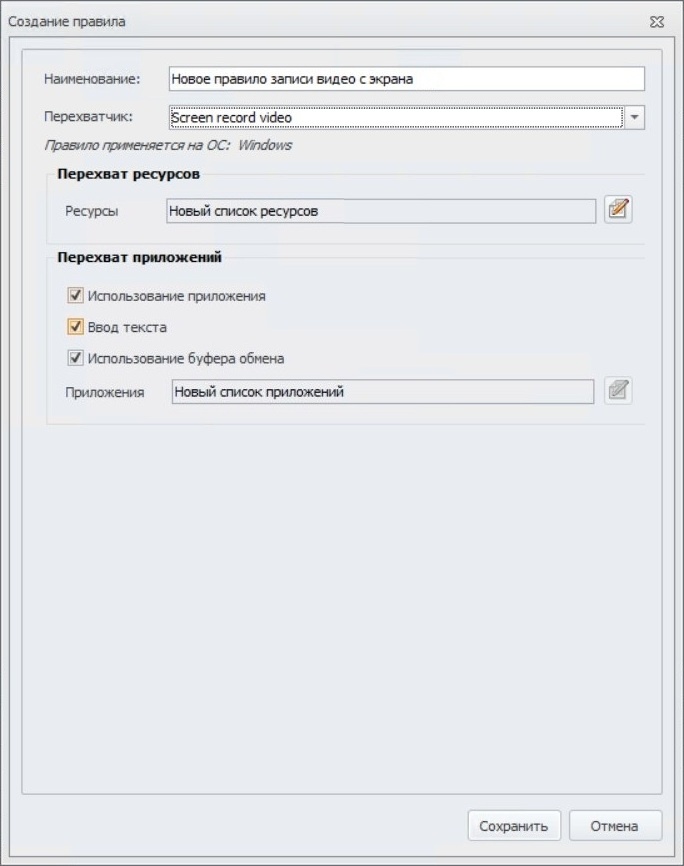
- The video record of the main all available monitor only is performed.is performed.
Important! In case if during the recording of several monitors one of them disconnects or another connects, or the order of these monitors changes, or any changes happen, then these changes will not be reflected in the recording that is already in progress. The functionality of recording video from all available monitors is disabled by default. On how to enable it, see Инженерные настройки агента. - Several events can contain the same video record. In case a person uses resource after resource from the list of resources to be intercepted, then record will continue without interruptions, but different events will be created.
- Only video record is created when the rule is triggered. To record the audio as well, set up the "Правило для Audio Record Control".
Video record starts at the moment when user entries the session or unblocks the desktop and until they exit the session or block the desktop. In case the clipboard usage is selected, video record is performed every time when the application addresses the clipboard. That is, in case the application can write the information to the clipboard and get the information from it by itself, then the action will be considered as the user action and the record will be performed. - In case of a text input in an application, the video will start recording at the moment of the first character input and it will continue until the focus shifts.
| In case "Text input" is selected |
|---|
the record will be performed when: - the combination of Ctrl key and characters is used for input, for example, Ctrl+a, Ctrl+t etc;
- functional keys are used for input, for example, Esc, Backspace, Enter, Tab etc;
- keys press outside an input field.
| the record will not be performed when: - the navigation keys are used in the input field, for example, PgUp, PgDown, Home etc;
- the keys F1-F12 are used in the input field;
- the Delete key is used in the input field;
- the combinations of keys which does not address the application is used, for example, Alt + F4.
|
|