| Sv translation | |||||
|---|---|---|---|---|---|
| |||||
Способ №1:
Недостатки:
Частный случай №2:
Преимущества:
Недостатки:
|
| Sv translation | |||||
|---|---|---|---|---|---|
| |||||
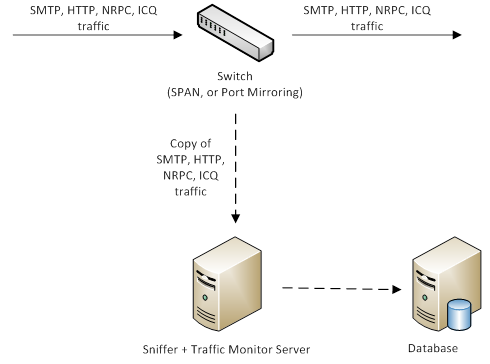
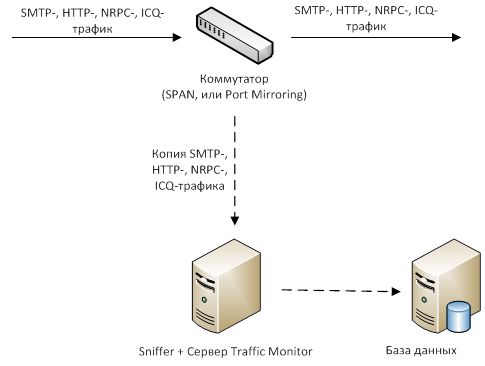
Method 1: Traffic is intercepted from a managed switch by using SPAN Port, or Port Mirroring technology. A large number of managed network switches allows duplicating traffic from one or several ports or VLAN to a single port. In this case the customized switch port is connected to Traffic Monitor Server network interface. Server interface is switched to promiscuous mode, which allows accepting all incoming packages. This interface does not require an IP address. The most effective is to mirror the internal switch port or internal proxy server interface.
For more information on functionality see "SPAN, или Port Mirroring". Advantages:
Shortcomings:
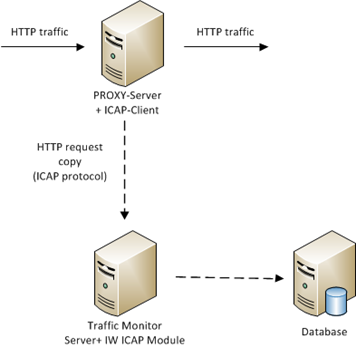
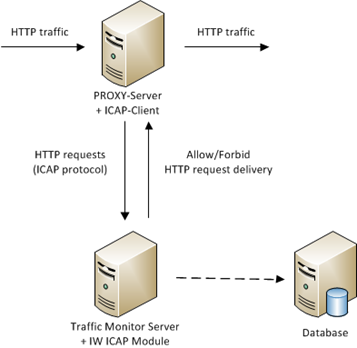
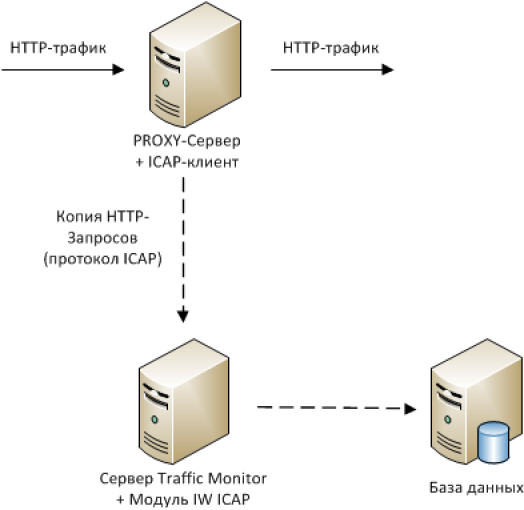
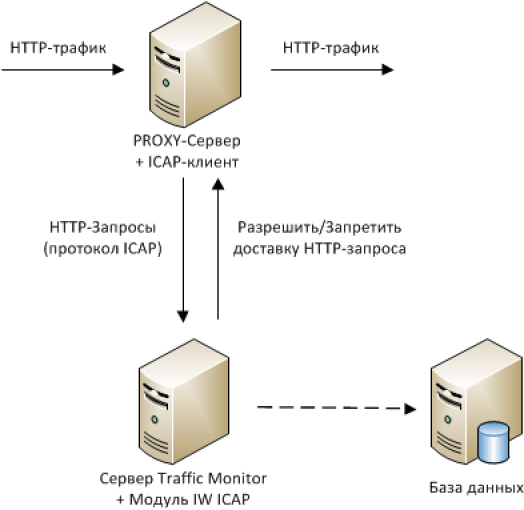
Special case 1: In case monitoring Traffic Monitor server is located in virtual environment, in addition to switch port setup, to monitor analyze traffic an individual virtual switch is being created with promiscuous mode enabled. Switch should be connected to an individual physical interface. This method allows you to analyze the traffic of virtual machines running through a virtual switch. This method works on VMware ESXi servers. On Hyper-V this functionality is implemented with limitations starting with version 2012 Hyper-V. Special case 2: Instead of managed switch, HUB can be used. This variant’s disadvantage is HUB device’s is low transmission capacity, as well as inability to buy a device in connection to removal from production. Method 2: Traffic copy, which is transmitted via ICAP protocol, is intercepted from corporative proxy server. Traffic Monitor Server is positioned as an ICAP server. In case there is a proxy server in company, which supports ICAP protocol, it is possible to use this functionality for analysis of HTTP traffic. The following proxy servers support this option:
Advantages:
Shortcomings:
|