| Sv translation | |||||
|---|---|---|---|---|---|
| |||||
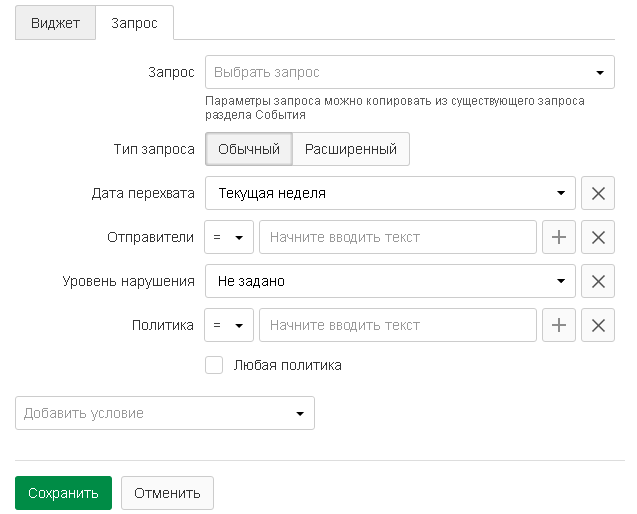
Запрос позволяет указать условия, в соответствии с которыми на виджете будет отображаться информация об объектах перехвата. Для создания запроса перейдите на вкладку Запрос в окне создания виджета (см. "Виджеты отчетов").
Вкладка Запрос в окне создания виджета Вы можете скопировать параметры запроса, добавленного в разделе "События" (для этого выберите название нужного запроса из раскрывающегося списка в поле Запрос), либо создать новый запрос. Вы можете создать запрос в обычном или расширенном режиме:
Для выбора режима используйте кнопки Обычный и Расширенный в поле Тип запроса.
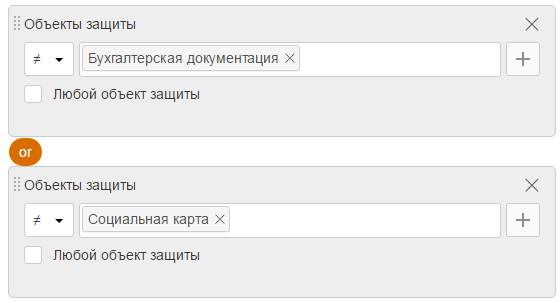
Если в условии параметры объединены с помощью логического "ИЛИ" и к ним применено отрицание, то отчет будет включать события, в которых нет ни одного из указанных элементов.
В данном примере событие не будет включено в отчет, если в нем присутствует объект защиты "Бухгалтерская документация" или "Социальная карта". Целевые действия пользователя:
|

| Sv translation | |||||
|---|---|---|---|---|---|
| |||||
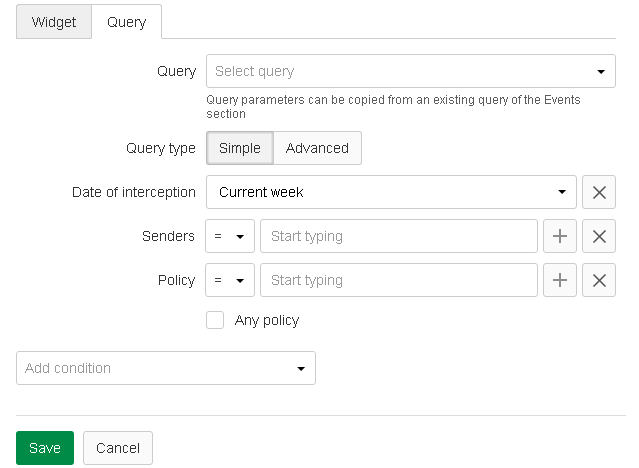
A query allows you to specify conditions according to which data on interception objects will be displayed in the widget. To create a query, open the Query tab in the widget creation window (see "Виджеты отчетов").
The Query tab in the widget creation window You can copy parameters of a query that has been added in the Events section (for this, in the Query field, select the required query from the drop-down list), or create a new query. You can create a query in a standard or advanced mode:
To select the mode, use Standard or Advanced button in the Query type field.
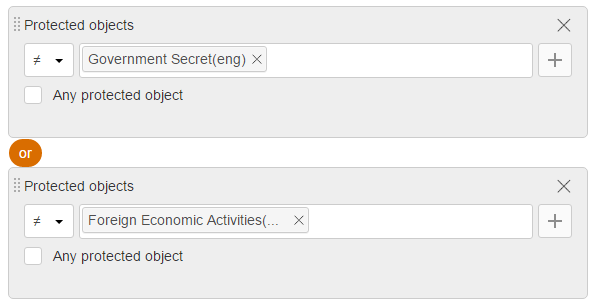
Example of using the disjunction: If parameters in the condition are joined by the logical "OR" and the negation is applied to them, then the report will include only those events which do not contain any of the specified elements.
In this example, an event will not be included in the report if the event contains "Government secret" or "Foreign economic activities" protected object. User’s target actions:
|