The IM Client Monitor interceptor allows you to control employee access to instant messengers: Skype, WhatsApp, Viber, Telegram, Jabber (XMPP protocol), Mail.Ru Agent (MMP protocol), and SMS. | Информация |
|---|
| The rule applies on computers with the following operating systems: - MS Windows and Astra Linux - for Facebook, Jabber (XMPP), VK
- MS Windows only - for Skype, MMP, Telegram
and mobile devices on Android platform. | | Предупреждение |
|---|
| IM Client Monitor interceptor global settings (employee request to launch the interceptor, configuring chat shadow copying period) are configured along with general security policies (DM): see "Контроль сетевого трафика".with the following operating systems: - Android and iOS - for SMS, Whatsapp
- Android only - for Viber, Facebook, Telegram
For how data interception works on mobile devices, see the article. |
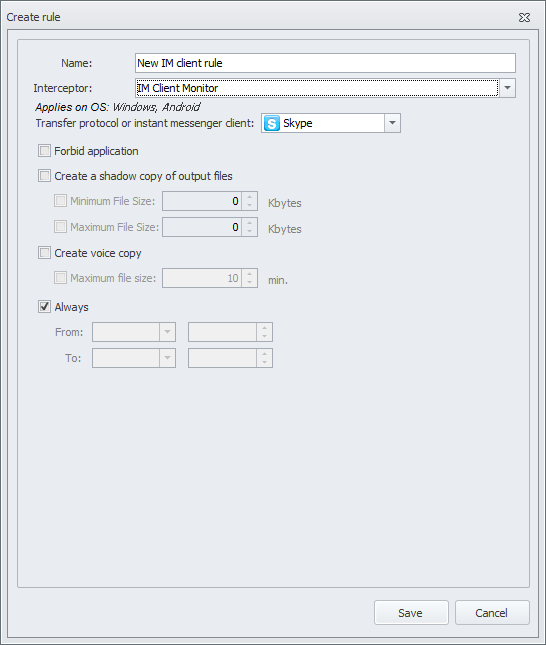
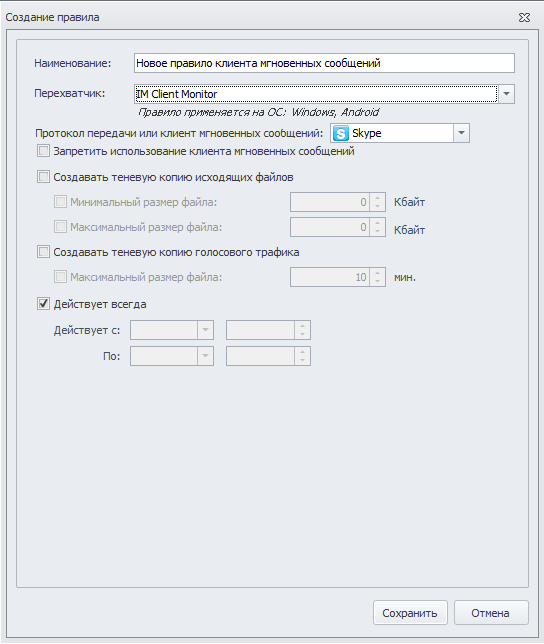
To configure the rule: - Open the Create rule window (see "Создание правил (DM)") and in the Name field, specify the rule name.
- In the Interceptor field, select IM Client Monitor.
In Transfer protocol or instant messenger client field, select messenger type which is controlled by this rule (DM):  Skype - to control Skype usage;  Image Removed  Image AddedXMPP - to control Jabber usage;  MMP - to control Mail.Ru Agent usageapplications, using MMP protocol;  SMS - to control mobile devices usage;  WhatsApp - to control WhatsApp usage on mobile devices;  Viber - to control Viber usage on mobile devices;  Telegram - to control Telegram usage on mobile devices.  Image AddedFacebook - to control Facebook usage  Image AddedVK - to control VK usage
If you need to intercept Skype voice messages, select the Create shadow copy of output files checkbox and, if necessary, specify file size (sound file will be saved in *.ogg format) If you want to completely deny using Client of this type, select the Forbid application checkbox (not available for SMS of mobile connection, WhatsApp, Viber, Telegram, Facebook, VK). | Информация |
|---|
| To Skype, the setting applies as follows: the interceptor checks if the application is started and, if yes, forcibly closes it. The check is performed every minute. |
| Предупреждение |
|---|
| To forbid prohibit using WhatsApp, Viber, Telegram, Facebook, VK and Skype mobile version, use Application Monitor Rule (DM) (see "Правило (DM) для Application Monitor"). |
If you want to create shadow copies of transferred files and send them to Traffic Monitor, select the Create shadow copy of output file checkbox. In this case, you can also define additional parameters for shadow copies: - If you want to create shadow copies of voice messages and send them to Traffic Monitor, select the Create voice copy option and specify the maximum length of a voice file. For this, in the Maximum file size field, specify the required value in minutes.
- Define a period of the rule (DM) action. By default, the rule (DM) is always in effect (the Always option is checked). To specify the rule (DM) duration, clear the Always check box checkbox and specify dates and time in From and To fields.
- When all parameters are configured, click Save.
| Предупреждение |
|---|
| Values specified in the Minumum Minimum File Size and Maximum File Size fields apply only to creating shadow copied. If the file size is within the specified range, then the event will contain a shadow copy. Otherwise, the event will be created without a shadow copy. The event can be created without a shadow copy also in the case if there is less free space on the computer than it is required by the policy (DM) (see "Создание теневых копий и запрет операций при нехватке свободного места"). If there is an active IM Client Monitor rule (DM), then shadow copies for chats and messages are created regardless of the Create shadow copy of output file and Create voice copy settings. Shadow copies for chats and messages are configured in the "Контроль сетевого трафика" section. |
| Предупреждение |
|---|
| In Telegram version 2.4.3 and later when sending a message to a group chat as a group administrator, the senders are not identified. |
|