| Sv translation | |||||
|---|---|---|---|---|---|
| |||||
С помощью плагинов в Traffic Monitor можно добавить следующие дополнительные возможности:
Предустановленные плагиныПосле установки Traffic Monitor в Консоли управления отображается плагин InfoWatch Investigation Centre. Чтобы активировать другой предустановленный плагин, запросите соответствующую лицензию и установите ее в Консоли управления (подробнее об установке лицензии см. Управление лицензиями). Таким образом доступно добавление следующих плагинов:
Пользовательские плагиныПлагины для интеграции с Traffic Monitor могут быть разработаны:
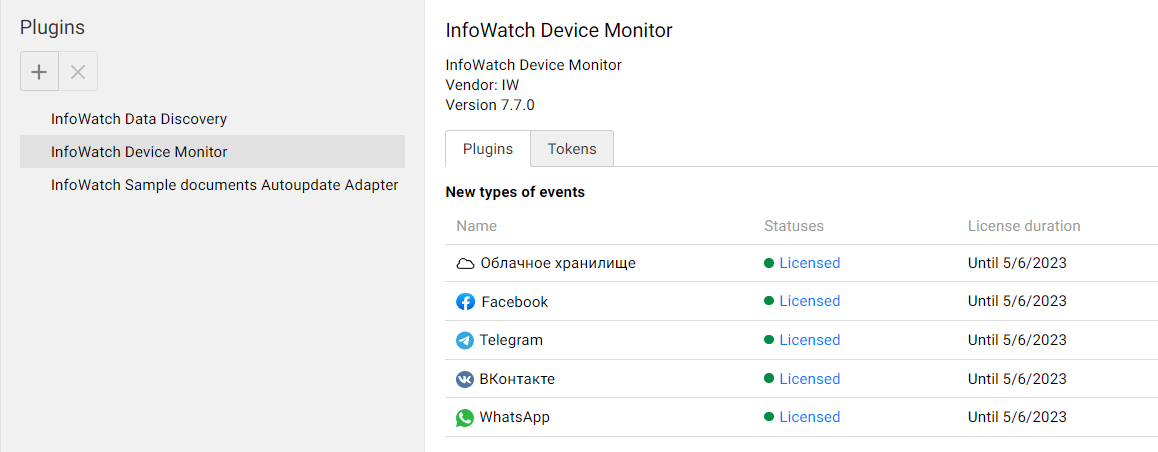
Все интеграции с внешними системами должны быть зарегистрированы в Traffic Monitor путем добавления нового плагина. Чтобы добавить плагин в Traffic Monitor, см. статью Добавление плагина. Каждой интеграции должен соответствовать отдельный плагин. Работа с плагинами в Traffic MonitorРабота с плагинами ведется в Консоли управления, в разделе Управление –> Плагины:
В разделе Плагины можно осуществлять следующие действия:
|

| Sv translation | |||||
|---|---|---|---|---|---|
| |||||
Using plugins you can add the following additional features to Traffic Monitor:
Default PluginsAfter installing Traffic Monitor, the Management Console displays the InfoWatch Investigation Centre plugin. To activate another default plugin, request the appropriate license and upload it to the Management Console (see Управление лицензиями). The following plugins can be added:
Custom PluginsPlugins for integration with Traffic Monitor an be developed by:
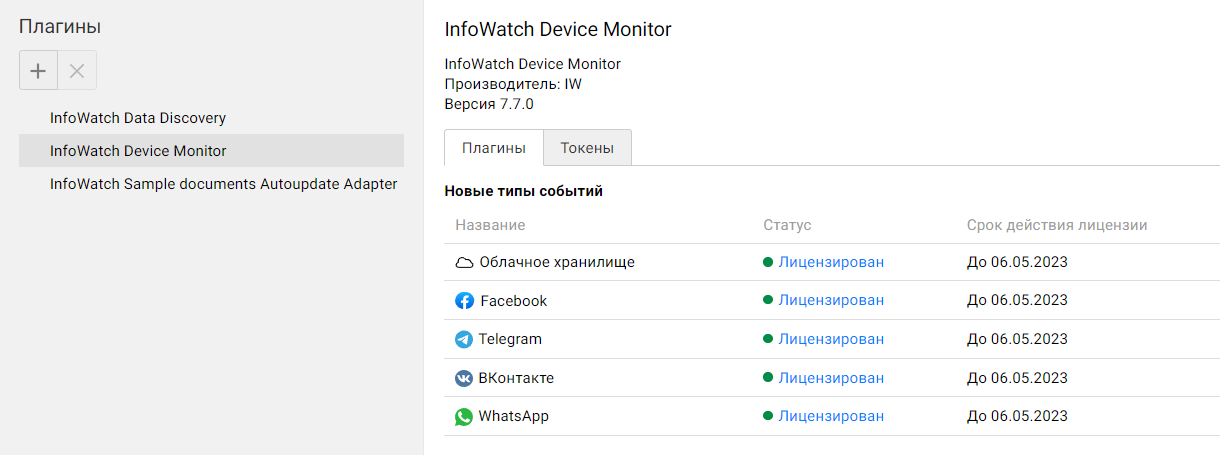
All integrations with external systems must be registered in Traffic Monitor by adding a new plugin. For more details about adding a plugin to Traffic Monitor, see Добавление плагина. Each integration must be matched with a specific plugin. Work with Plugins in Traffic MonitorYou can work with plugins in the Management Console, the Administration –> Plugins section:
In Plugins sections, you can perform the following actions:
|