Example 1: You need to view all email messages for the current day sent by employees under the supervision. For this: - Create a simple query and specify its name.
- Specify the following query parameters:
- Interception date - Current day;
- Event type - Email.
- In the Senders field, specify the Employees under supervision group (see how to create such a group in "Creating Group of Persons or ComputersСоздание группы персон и компьютеров").
Save and run the query. | Подсказка |
|---|
| If there is a lot of traffic in your company and it takes much time to execute the query, you can continue working with other tasks while the query is running in the background. As soon as the query execution is complete, the System will notify you with a balloon tip. |
Example 2:
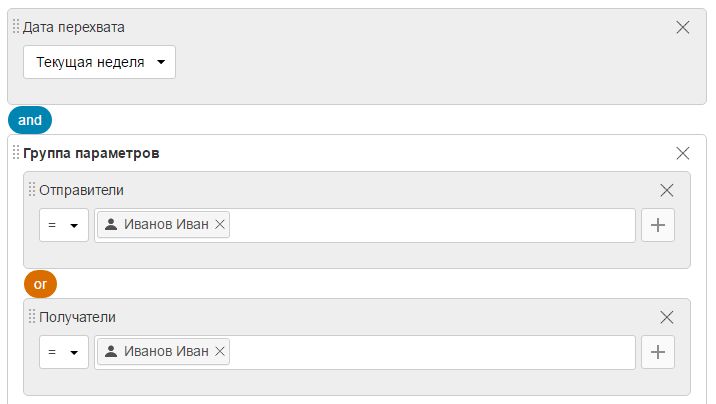
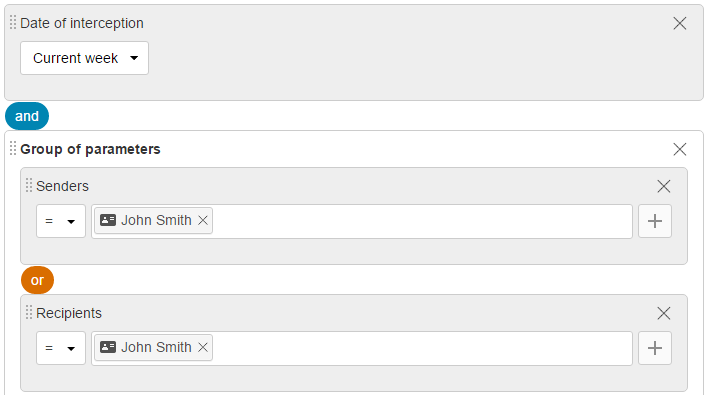
An employee John Smith is suspected of misusing of confidential information. The incident has happened this week. To investigate the incident, you need to find events for John Smith. For this: - Create an advanced query and specify its name - Smith.
- Add the following conditions:
 - Save and run the query.
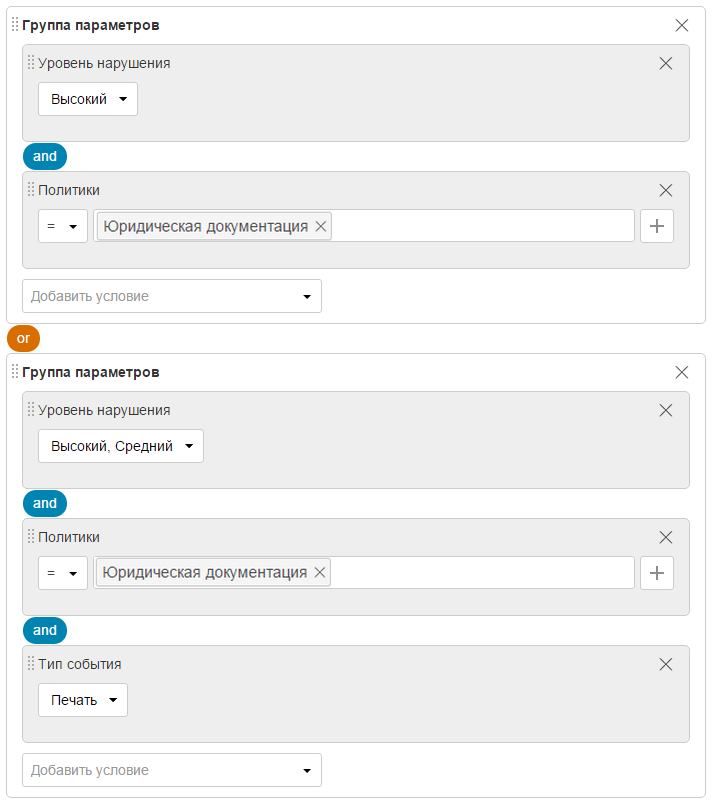
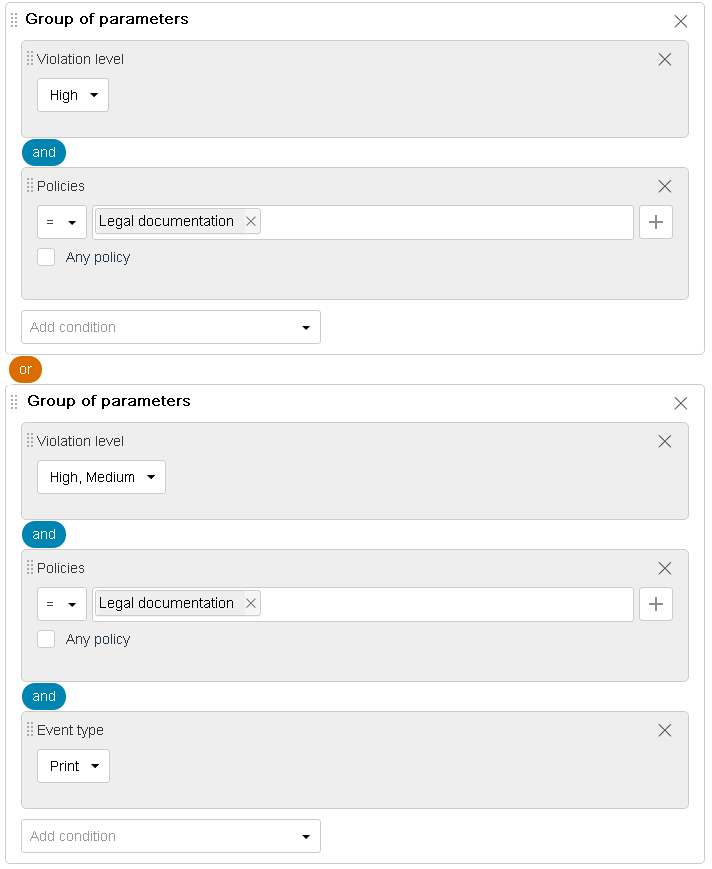
Example 3: You need to find the events: - with High violation level and the Legal documentation policy
- with High and Medium violation levels, the Legal documentation policy, and the Stamp event type
For this: - Create an advanced query and specify its name.
- Add two Group of parameters elements, joined by logical OR.
- Within the first group, add the following attributes joined by logical AND:
- Violation level - High;
- Policy - Legal documentation.
- Within the second group, add the following attributes joined by logical AND:
- Violation level - High and Medium;
- Policy - Legal documentation;
- Event type - Print.
- Save and run the query.
Example 4:
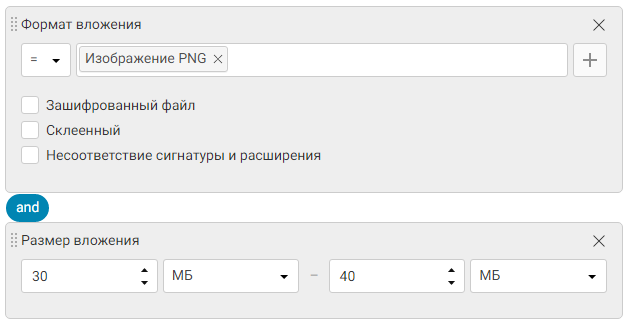
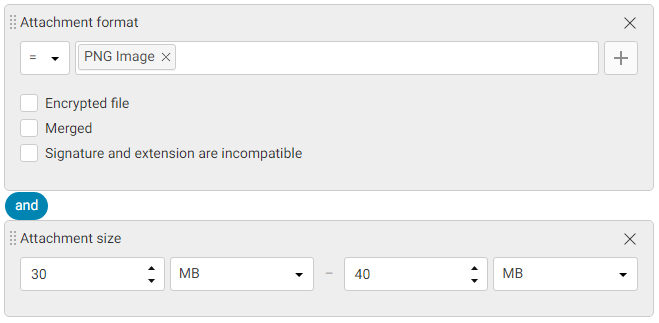
If conditions are specified for object attachments, then, for objects with several attachments, the conditions will apply the following way: - If several conditions within a group of parameters are combined by the operation of the logical “AND”, then query results will contain objects with at least one attachment that satisfies all specified conditions. In the example below, the query results will display objects with at least one attachment of PNG format whose size is between 30 and 40 MB.
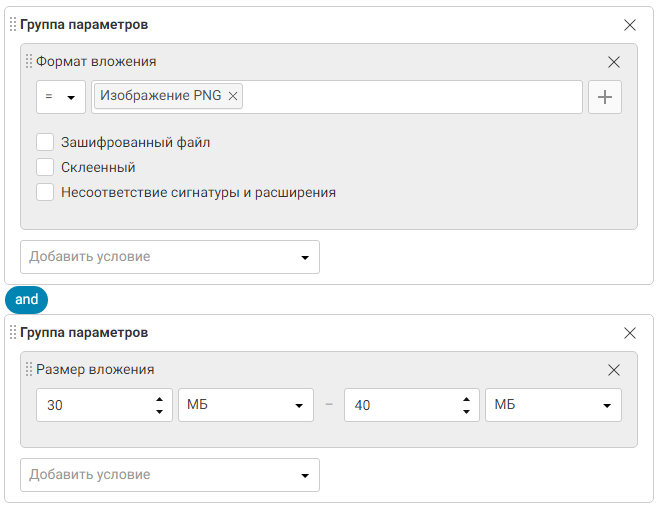
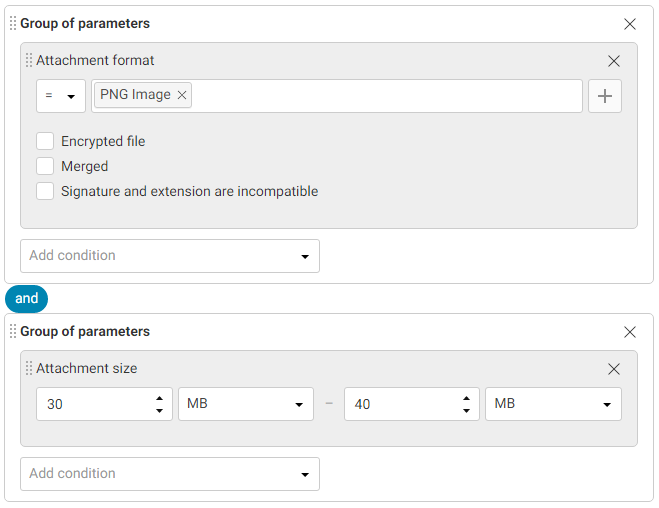
 - If each condition is in a separate group of parameters and groups are combined by the operation of the logical “AND”, then query results will contain objects, for which all conditions are satisfied, but not necessarily for the same attachment. In the example below, the query results will display objects with at least one attachment of PNG format and at least one attachment whose size is between 30 and 40 MB.
Example 5: You need to find the events containing eml attachments. For this: - Create an advanced query and specify its name.
- Add Attachment format element.
- Set the value Email for the element.
- Save and run the query.
Example 6: You need to find the events: - transferred inside the company
- without "Personal data of clients" text object
- containing passport numbers
For this: - Create a query in advanced mode and specify its name.
- Add Group of parameters element.
- Whithin the group of parameters specify the attributes bound by the logical “AND”:
Recipients - *company.comEvent text - "Personal data of clients", herewith select the coincidence degree All words regardless of their order and distance among them, and apply negation to the attributeSearch area - "All contents of event"Technologies - the "Russian Federation citizen passport" text object
- Save and run the query.

Example 7: You need to find the events with the "Russian Federation citizen passport" text object. For this: - Create an advanced query and specify its name.
- Add Technologies element.
- Select the "Russian Federation citizen passport" as a value and apply negation to the attribute.
- Save and run the query.

The query results will include the events: - which do not contain triggered protected objects;
- where triggered protected objects do not contain the "Russian Federation citizen passport" text object.
If you specify a passport serial number (e.g., 4505 and 123456), then the query results will include the events: - which do not contain triggered protected objects;
- where triggered protected objects do not contain the "Russian Federation citizen passport" text object with serial number "4505" and "123456" value.
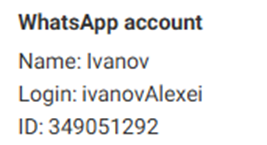
Example 8: You know the data of the user’s account in the WhatsApp messenger: ID, login and display name:
 Image Added
You need to find the events with particaption of this user. For this: - Create a query of any kind and specify its name.
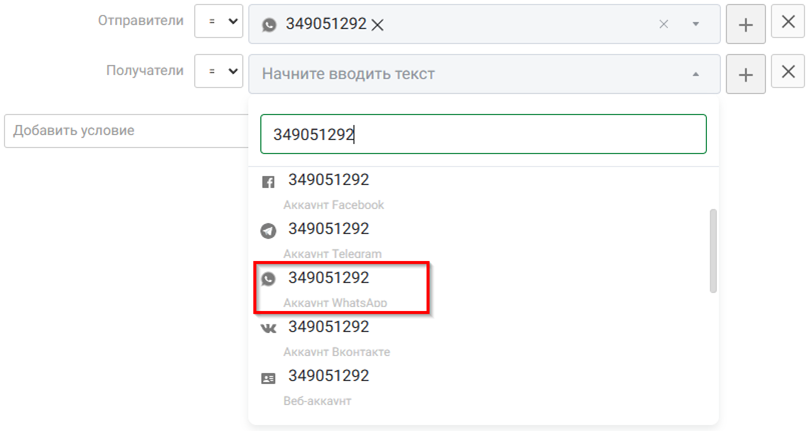
- In the Senders and Recipients fields, specify one of the following values:
- Account ID.
Enter the ID and select WhatsApp account.
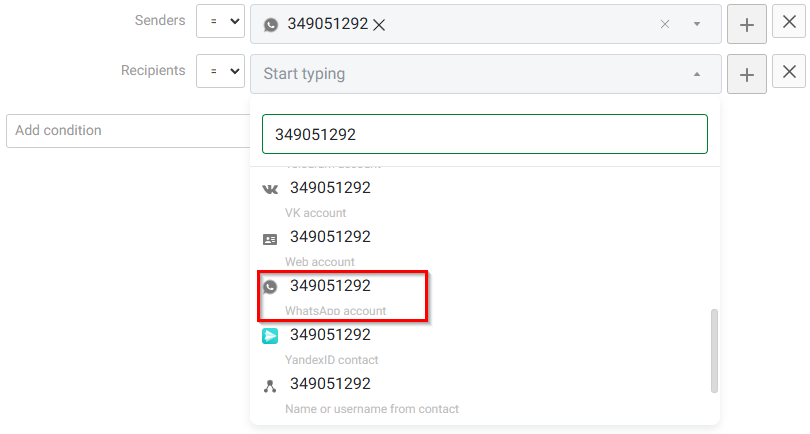 Image Added - Display name or login of the account - you can specify the value using wildcards. For details, see "Обычный режим создания запроса".
Enter the name or the login of the account and select Name or username from contact.
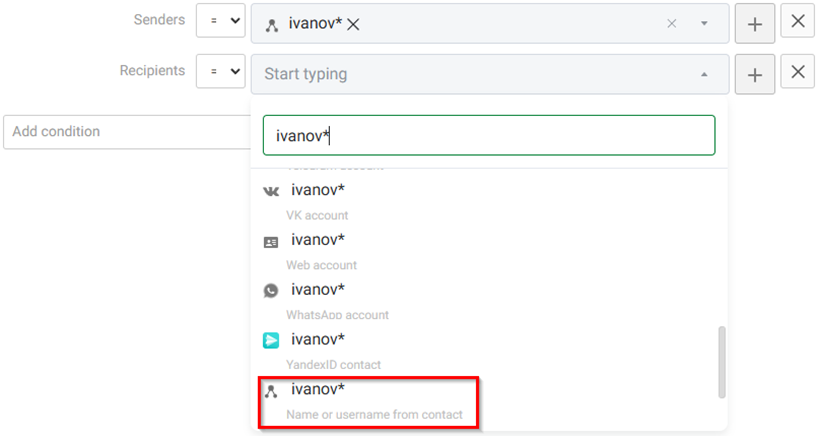 Image Added
- Save and run the query.
|