| Sv translation | |||||
|---|---|---|---|---|---|
| |||||
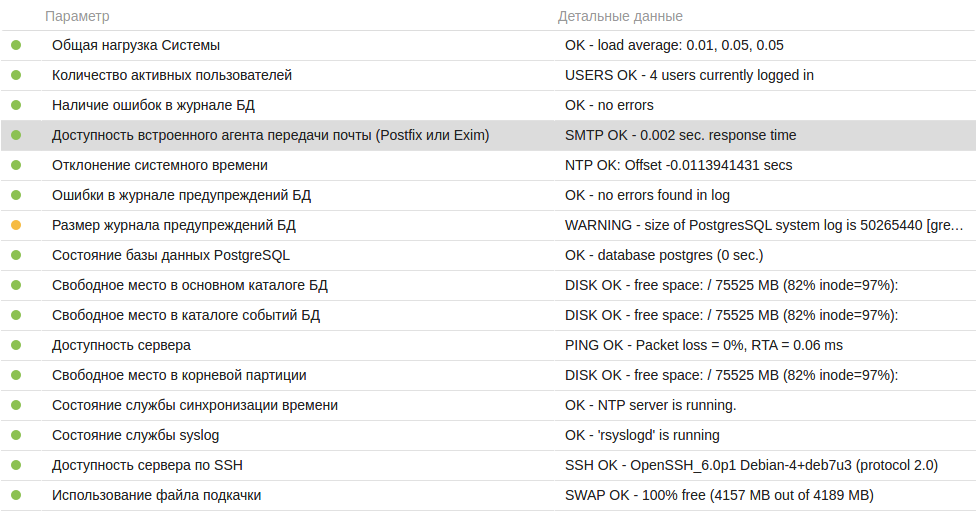
Просмотр состояний каждого из серверов, на которых развернута Система, ведется в Консоли управления, в разделе Управление -> Состояние системы.
Показатели обновляются с периодичностью:
Если требуется обновить показатели вручную, нажмите Обновить. |


| Sv translation | |||||
|---|---|---|---|---|---|
| |||||
You can monitor the state of each server on which the System is deployed in Administration->System state section of the Management Console. For each server that is used in the System, indicators are listed in the table:
For each indicator, the following information is displayed:
Values are refreshed:
To refresh the values manually, click Refresh. |
